

Two tools for every workflow.
A CLI for automation and scripting. A desktop app for visual crawling and analysis. An MCP server so agents can drive it. Choose the interface that fits your workflow.
Turn any website into clean, RAG-ready Markdown. Crawl up to 10,000 pages per session with concurrent requests, automatic retry with backoff, and built-in respect for robots.txt directives. JavaScript rendering auto-detects and handles JS-heavy pages without headless Chrome. Run 24 SEO checks across every page, and export results as NDJSON, JSON, Sitemap XML, CSV, or a Markdown archive. Built in Rust for speed and reliability - typical crawls finish in seconds.
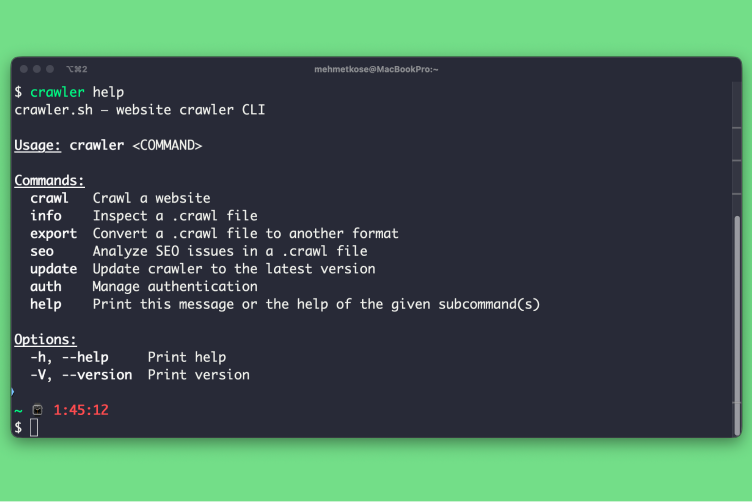
CLI Tool
4 subcommands for every workflow
Crawl any website with built-in JavaScript rendering, inspect .crawl files with the info command, export to JSON or sitemap XML, and run a full SEO audit with CSV or TXT output. The CLI is a single static binary with no runtime dependencies, which makes it easy to drop into CI pipelines, scheduled jobs, or shell scripts. Pipe results into jq, commit them to git, or feed them into your own dashboards.
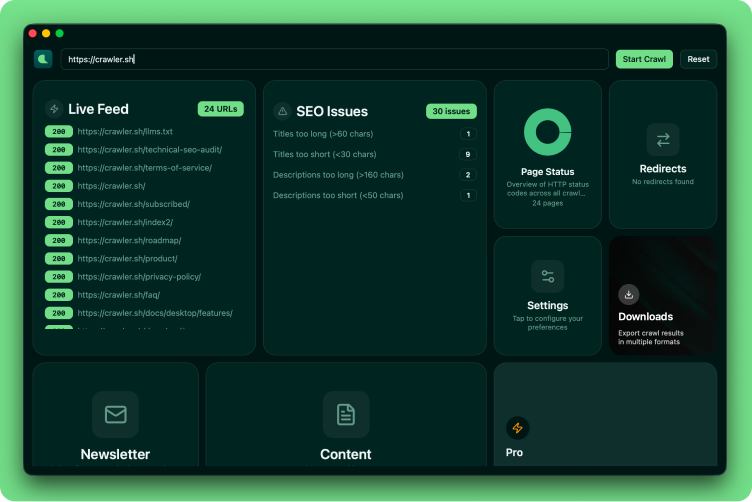
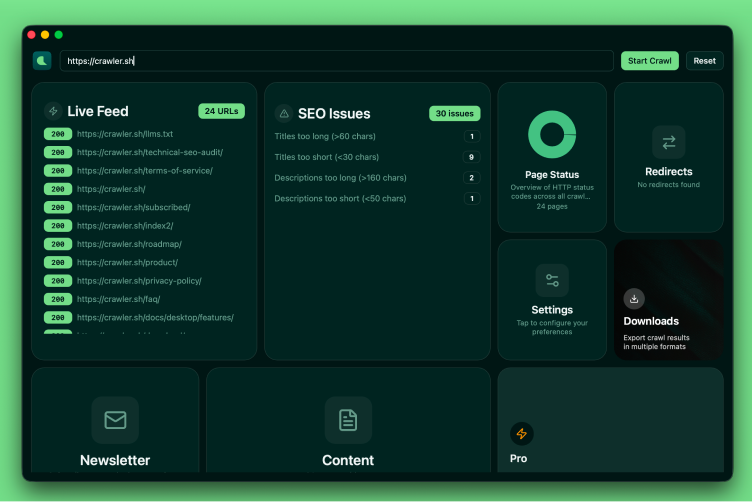
Desktop App
8 dashboard cards for visual crawling
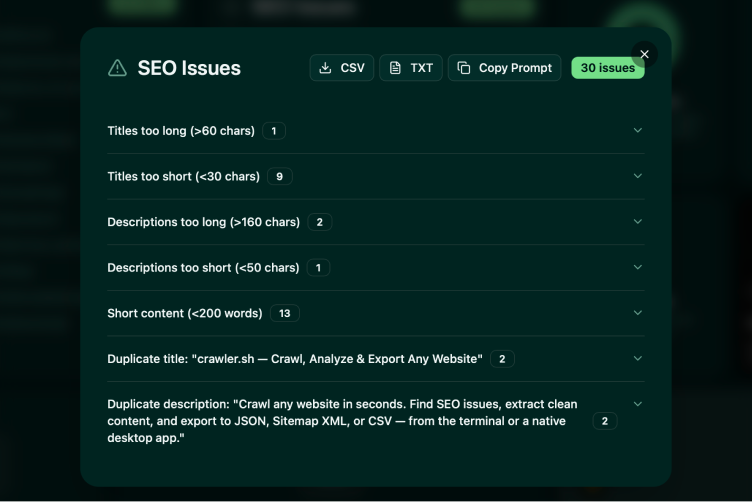
Live Feed, SEO Issues, Page Status, Settings, Downloads, Content viewer, Newsletter, and Premium, all in a responsive card grid with interactive overlays. Watch URLs stream in as the crawl progresses, jump straight from an SEO issue to the offending page, and review extracted Markdown without leaving the app. Useful when you want to scope a fix on the spot, demo a crawl to a teammate, or audit a site without writing any code.
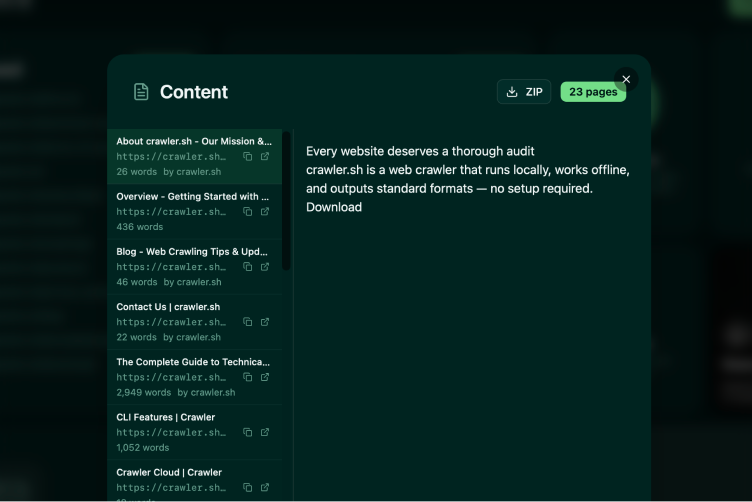
Content Extraction
Readable content as clean Markdown
Automatically extracts the main article content from any page and converts it to clean Markdown, with navigation, ads, and boilerplate stripped out. Each page comes with a word count, author byline, and excerpt, ready to feed into a content audit, a newsletter pipeline, or a training dataset for an LLM. The Pro plan unlocks the Content Archive export, which writes every extracted page to its own Markdown file inside a single ZIP archive.
SEO Analysis
24 checks across all crawled pages
Detects missing titles, duplicate descriptions, noindex directives, thin content, broken links, long URLs, non-self canonicals, content freshness signals, and more, all in a single pass over your crawl. Issues are grouped by category so you can fix in batches instead of triaging one URL at a time. Export to CSV for spreadsheets, TXT for code review, or pipe straight into a CI check that fails the build when new issues appear.
Workflow Examples
From quick crawl to full pipeline
Start crawling for free
Download the desktop app or install the CLI with a single command. No account required for the free tier - crawl up to 50 pages per session, run full SEO audits, and export to any supported format. Sign in to raise the limit to 400 pages and link the CLI and desktop app to the same plan. Upgrade to Pro for $99 per year to crawl up to 10,000 pages per session and unlock the Content Archive export, which writes every extracted page to its own Markdown file. Crawls run locally on your machine, so your data never leaves your hardware.
Download